
Drafts as Hub: How AI Helped Me Connect Five Apps on iPad (Part 3)
I built a cloud backend for my iPad, an AI morning briefing through my AirPods, and a beta of what Siri 2.0 was supposed to be.


If you’ve been following this series, you know the foundation by now. Part 1 covered why I use five apps and why Drafts became the hub. Part 2 broke down the Daily, Weekly, and Monthly actions that route content to Notion, Obsidian, and Apple Notes with a single tap. Everything so far has been about getting text from point A to points B, C, and D.
This part is different. This is about what happens when Drafts needs to reach beyond what it can do on its own, and what happens when I wanted to bring AI into the workflow. Some of this worked beautifully. Some of it exists because I wanted to see if it was possible. All of it required building infrastructure I never expected to build as someone who doesn’t write code.
The Stoic Reflection: Structured Prompts, No AI Required
I want to start here because people assume this action is AI-powered and it isn’t. The Stoic Reflection action runs twice a day - morning at 6:15am and evening at 7:30pm - and it’s one of the simplest things in my entire workflow. It’s just a series of guided prompts.
The morning version walks me through a structured reflection. It asks about virtue focus for the day, runs me through a dichotomy of control exercise - what’s in my control today, what isn’t - and includes a CBT reframe prompt for anything I’m anxious about. I type my responses directly into Drafts, and the action formats them and saves the output to an Obsidian template.
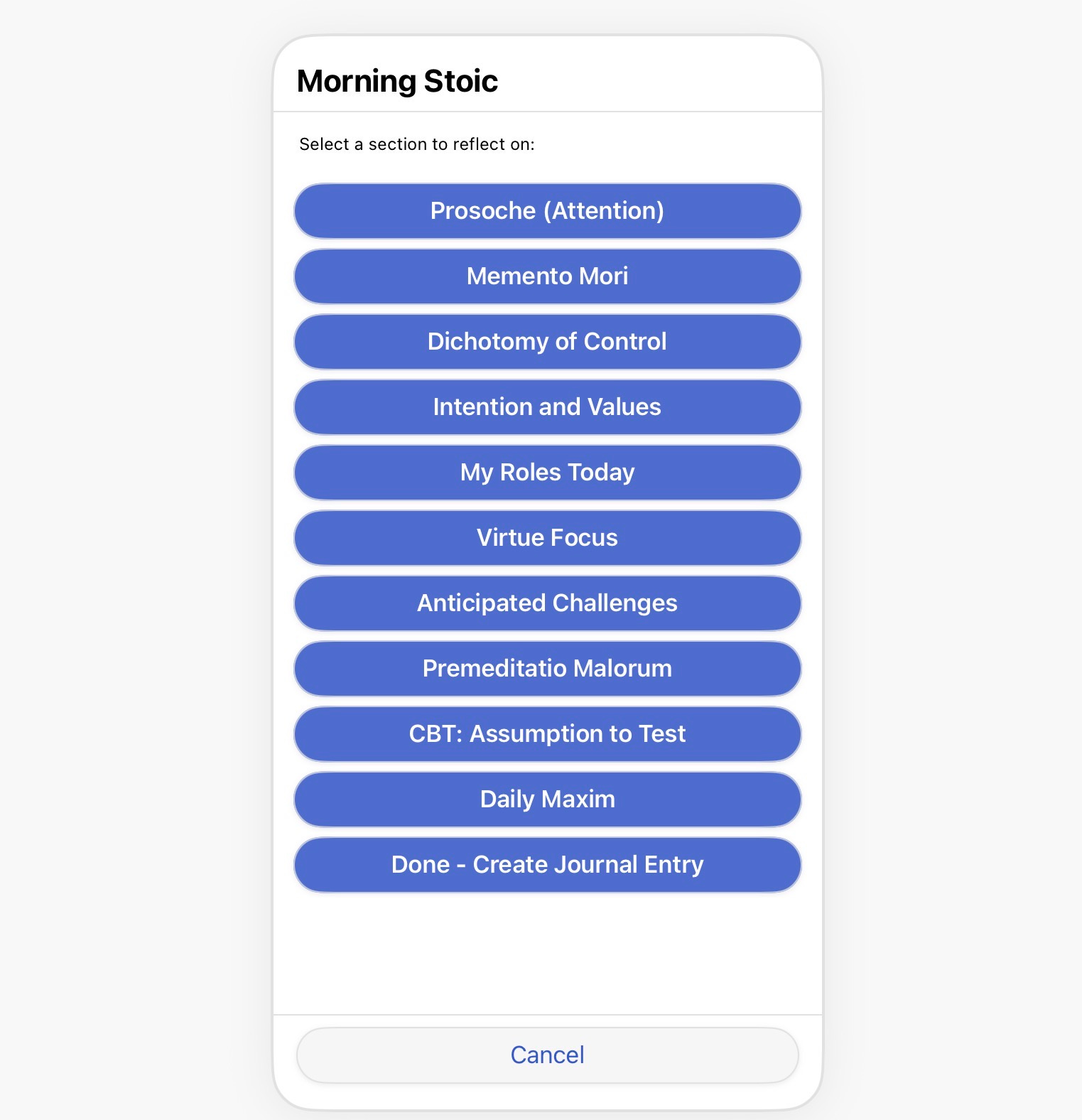
The evening version reviews the day. What went well, what I’d do differently, and a sleep shutdown ritual that helps me stop thinking about work. Same structure - prompts, responses, save to Obsidian.
There’s no API call, no AI synthesis, no language model involved. It’s a JavaScript action that uses Drafts’ Prompt object to display questions one at a time, collects my answers, formats them with timestamps and section headers, and writes the result. The value isn’t in the technology. It’s in the consistency. Having Todoist remind me to run the action and having the prompts already structured means I actually do the reflection instead of just thinking about doing it. The barrier between “I should journal” and actually journaling is one tap and a series of questions I don’t have to come up with while I’m half asleep.
I bring this up in a piece about AI and backend infrastructure because I think it’s important to acknowledge that not everything needs to be smart. Sometimes a dumb sequence of prompts that runs reliably is more valuable than a sophisticated AI integration that you have to think about.
The rest of this article is for paid subscribers. If you want to see how I built a cloud backend that lets an iPad reach services it shouldn’t be able to, and how AI fits into the parts of the workflow where it actually makes sense, subscribe below.
